
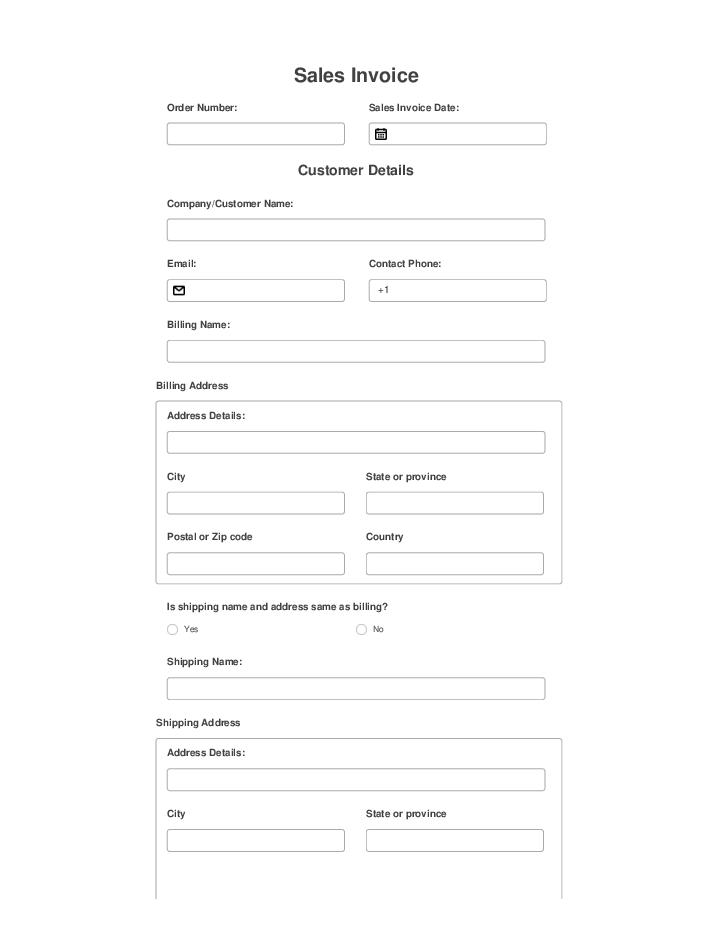
Effortlessly automate Sales Invoice using Flow template
Use Template

By clicking "Use Template", you agree to the Terms of Service and Privacy Notice

Sales Invoice
Star Rating
4.4 out of 5
(57 votes)
You’ve already rated this bot

Effortlessly automate Sales Invoice using Flow template

Uncover the process to establish and automate your Sales Invoice. Sales invoice example. Improve your sales by delegating the repetitive tasks of your operations to automation tools with airSlate. Example of sales invoice.
Use Template

By clicking "Use Template", you agree to the Terms of Service and Privacy Notice

Customer-approved: airSlate products regularly get recognized on review platforms
review badges
review badges
review badges
review badges
review badges

No-code Automation and Integration Bots

Automate tedious tasks and integrate with and across your cloud apps.
Add additional fillable fields to Event Lead Capture Form Template illustration
Embed fillable Event Lead Capture Form Template in your website or distribute it via a public link illustration
Collect payments for Event Lead Capture Form Template illustration
Authenticate recipients for Event Lead Capture Form Template illustration
Request attachments for Event Lead Capture Form Template from recipients illustration
Integrate Event Lead Capture Form Template with dynamic web-forms illustration
Auto-generate documents from data in Event Lead Capture Form Template illustration

How it works

No-code automation, integrations, configuration and distribution of Effortlessly automate Sales Invoice using Flow template
Embed fillable Event Lead Capture Form Template in your website or distribute it via a public link
Collect payments for Event Lead Capture Form Template
Authenticate recipients for Event Lead Capture Form Template
Request attachments for Event Lead Capture Form Template from recipients
Integrate Event Lead Capture Form Template with dynamic web-forms
Auto-generate documents from data in Event Lead Capture Form Template

Enterprise‑grade security and compliance

airSlate is committed to protecting your sensitive information by complying with global industry‑leading security standards.
Security overview
GDPR compliance
Regulates the use and storage of personal data belonging to EU residents.
SOC 2 Type II Certified
Identifies organizational controls that secure your data & the privacy of your clients.
PCI DSS certification
Safeguards credit/debit card data during the payment process.
FERPA readiness
Protects the privacy of student records maintained by an educational institution.
HIPAA readiness
Protects the processing of your patients’ private health information.
CCPA compliant
Enhances the protection and privacy of personal data for California residents.

Automate document workflows with airSlate products

Deploy any business process with an all-in-one no-code automation platform.
Robotic Process Automation
Configure no-code airSlate Bots in minutes to pre-fill or extract data, integrate into a single or multiple systems of record, automate routing and decisions, or set up reminders, and notifications. Any repetitive task can be done by an existing Bot, or we can build a new one.
Document Generation
The most powerful document generation engine with text tags, fillable fields, eSignature and roles built in, with the ability to connect to multiple data sources simultaneously without writing a single line of code.
Accept payments
Connect to a payment gateway and accept credit cards, ACH or other forms of payment. Use no-code airSlate Bots to quickly integrate payment collection into contract negotiation, quote-creation, invoicing or accounting.
Workflow automation
Automate routing, approvals, data collection, reporting and other workflows using no-code airSlate Bots. Configure and deploy them in minutes, no API, coding or complicated standards to learn.
Contract Negotiation
Pre-fill, generate from templates, comment, redline, track changes, approve and eSign contracts in a single, integrated no-code business automation platform.
Built-in eSigning
Use airSlate’s enterprise-grade eSignature to set up any multi-signature role-based workflow.
Mobile-first web forms
Use airSlate’s drag-drop wizard to create powerful, interactive, mobile-native web forms.
Contract Management
Generate quotes, contracts, orders, and invoices while receiving payments and tracking contract execution. Automate every step of the sales and procurement process by integrating with a single platform.
Аdvanced analytics
Custom analytics are as easy to set up as our no-code airSlate Bots. Create graphs and reports based on any field in a document, data value, or activity in your workspace.

Questions & answers

Here is a list of the most common customer questions. If you can’t find an answer to your question, please don’t hesitate to contact us.

Invoice processing involves several key steps to ensure efficiency and accuracy. First, your team receives and reviews the invoice to confirm it matches the purchase order. Next, you enter the invoice details into your accounting system. After that, you approve the payment, and finally, you archive the invoice for future reference. To streamline this process, consider using airSlate, which automates document workflows, reduces manual errors, and saves time. With airSlate, you can manage invoices more effectively, allowing your organization to focus on growth and success.

To navigate the invoice processing workflow effectively, you can follow several key steps. First, you receive and capture the invoice data, ensuring accuracy and completeness. Next, you route the invoice for approval, where stakeholders review and authorize payments. After approval, you proceed to the payment stage, where you settle the invoice with the supplier. Finally, it is important to record the transaction for future reference. Using airSlate document automation platform can streamline this entire process. By automating data capture, approval routing, and payment recording, airSlate helps your organization manage invoices efficiently, saving time and reducing errors. This means you can focus on more strategic tasks while ensuring your invoice workflow remains smooth and reliable.

The three main steps in invoice processing are receipt, verification, and payment. First, your organization receives invoices from suppliers, which must be collected in a central location. Next, the invoices undergo verification, ensuring that the details match the purchase orders and that the goods or services have been delivered as agreed. Finally, once verified, the invoices are scheduled for payment, completing the process efficiently. To streamline this workflow, consider using the airSlate document automation platform. It can help your organization speed up invoice processing, reduce errors, and save time, allowing for more focus on core business activities.

To process sales invoices effectively, start by collecting all necessary data, such as customer details, product information, and payment terms. Next, create the invoice using a clear format that makes it easy for customers to understand. After sending the invoice, maintain a system for tracking payments and follow up promptly on any overdue accounts. If you're looking to streamline this process, consider using the airSlate document automation platform, which can simplify invoice creation, automate follow-ups, and enhance your overall workflow efficiency.

To record a sales invoice, start by documenting essential details such as the date, invoice number, customer information, and the products or services sold. Next, input the amounts due, including any taxes or discounts. After that, be sure to save the invoice in your records and send it to the customer. If you want to streamline this process, consider using the airSlate document automation platform, which can help you create, send, and track invoices seamlessly. This way, you can focus more on your business while ensuring accurate and timely invoicing.

Build a sleek Sales Invoice and get rid of manual effort forever. Sales invoice example

Well-established sales processes are one of the key elements of any business strategy. Getting it right will ensure your company can stay in business and, more importantly, grow steadily. It’s not a secret that some operations, like sales invoice example Sales Invoice , are full of repetitive tasks and systems, and applications that need synergy. airSlate can help you tackle the routine part of your processes and enable your team to focus on the big picture. We offer a rich collection of ready-to-use customizable Templates, like Sales Invoice , that are supercharged with powerful document creation and automation tools.

Here’s a breakdown of advantages example of example of sales invoice sales invoice sales invoice sale invoice example example you’ll get by using our Templates feature:

  1. A smooth and well-structured sequence of steps that you can create and customize based on pre-defined rules and logic that works for your business.
  2. National and international compliance with esignature and data regulation standards.
  3. A wide selection of out-of-the-box integrations and APIs that connect with go-to apps and CRMs used by sales departments.
  4. Almost limitless possibilities when it comes to document approval and collection with no-code automation.

We designed airSlate Templates to help you save time and cut operational costs while ensuring the frictionless and continuous template of your sales processes.