
Effortlessly create Exam Registration Form using Flow template
Use Template
By clicking "Use Template", you agree to the Terms of Service and Privacy Policy

Effortlessly create Exam Registration Form using Flow template
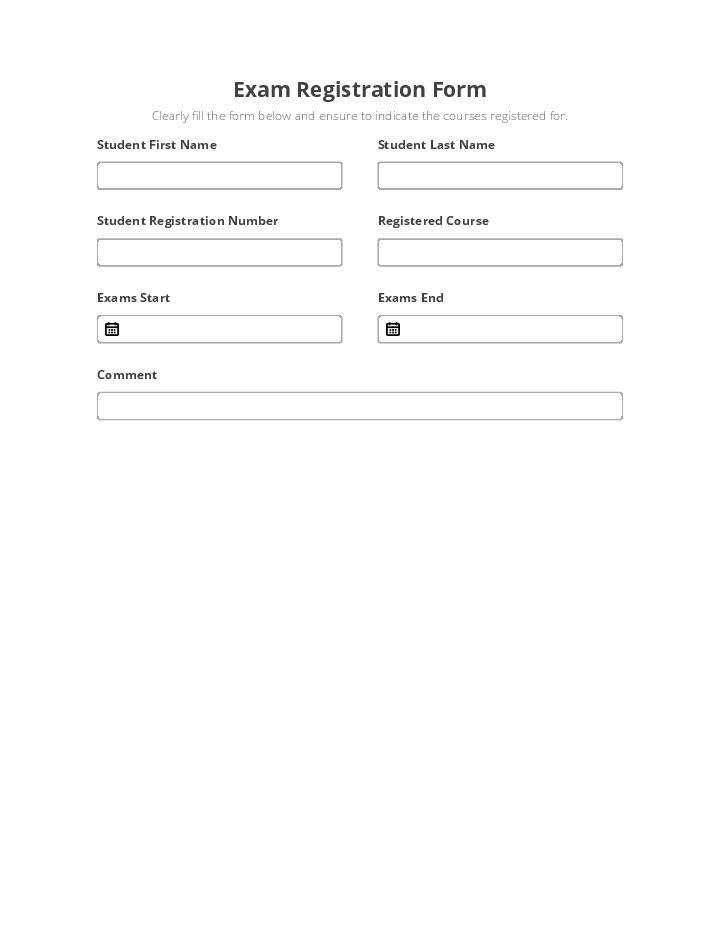
The Exam Registration Form Template is used by educational institutions to automate data collection from respondents in order to improve the quality of educational services. Exam registration form software.
Use Template
By clicking "Use Template", you agree to the Terms of Service and Privacy Policy
Customer-approved: airSlate products regularly get recognized on review platforms


No-code Automation and Integration Bots
Automate tedious tasks and integrate with and across your cloud apps.
Pre-fill Exam Registration Form fields from a CRM, Spreadsheet or database records

Pre-fill from Airtable BotPre-fill documents with data from Airtable

Pre-fill dropdown from Airtable BotPre-fill dropdown fields with data from Airtable

Pre-fill with Custom Data BotPre-fill documents with custom values

Pre-fill from Doc to Doc BotPre-fill a document with data from another document or within the same document
Extract data from Exam Registration Form to a CRM, Spreadsheet or database


Archive Exam Registration Form to Google Drive, Dropbox, OneDrive and other cloud storage services


Assign recipients to fields and route the document automatically


Automate repetitive tasks in CRMs, G Suite, and other systems of record

Pre-fill from CSV file BotPre-fill documents with data from a CSV file

Pre-fill from CSV File dropdown options BotPre-fill dropdown fields with data from a CSV file

Pre-fill from Excel Spreadsheet BotPre-fill documents with data from a XLS/XLSX file

Pre-fill Dropdowns from Excel Spreadsheet BotPre-fill dropdown fields with data from a XLS/XLSX file


How it works
No-code automation, integrations, configuration and distribution of Effortlessly create Exam Registration Form using Flow template
Enterprise‑grade security and compliance
airSlate is committed to protecting your sensitive information by complying with global industry‑leading security standards.
Security overview

GDPR compliance
Regulates the use and storage of personal data belonging to EU residents.

SOC 2 Type II Certified
Identifies organizational controls that secure your data & the privacy of your clients.

PCI DSS certification
Safeguards credit/debit card data during the payment process.

FERPA readiness
Protects the privacy of student records maintained by an educational institution.

HIPAA readiness
Protects the processing of your patients’ private health information.

CCPA compliant
Enhances the protection and privacy of personal data for California residents.
Related templates


Check out the airSlate Academy
Learn all automation How-to’s for FREE in less than 5 hours!


Automate document workflows with airSlate products
Deploy any business process with an all-in-one no-code automation platform.
Questions & answers
Here is a list of the most common customer questions. If you can’t find an answer to your question, please don’t hesitate to contact us.
Yes, sure. airSlate makes it easy to create, fill in, and Exam Registration Form without a line of code. Get started fast with a comprehensive library of pre-built templates or create your document from scratch. Automatically pre-populate and extract data, track documents based on real-time notifications, and archive them in secure storage.
airSlate makes it easy to build, scale, and track efficient workflows within a single automation platform. You can Exam Registration Form in up to 10-15 minutes and customize every step of your workflow with easy-to-configure Bots. Automate your business workflows in minutes with an all-in-one airSlate solution.
We've created a free airSlate Academy to help you understand automation and learn how to Exam Registration Form quickly. Start with the airSlate Fundamentals certification and proceed to Introduction to Document Process Automation. The airSlate Academy combines everything you need to digitally transform your business, including legally binding esignatures, optimized paperwork processes, and automated workflows.
First of all, you need to create your airSlate account and a Workspace(s). After you can either import and Exam Registration Form using this page or switch to your Workspace, start a new Template and browse the needed form from the extended library of ready-made templates.
You can easily Exam Registration Form with airSlate no-code Automation and Integration Bots. You only need to configure Bot settings to the document you’re automating and set up the conditions that will trigger the Bot to act. Try how airSlate’s Bots help you automate routine workflows without code and focus on higher priority tasks.
No, you don’t. The airSlate no-code automation platform requires no prior coding knowledge. Users can easily build and share Templates and Exam Registration Form using an intuitive interface without writing a single line of code.
After you’ve created a new Template, added, customized, and finished to Exam Registration Form using the airSlate no-code Bots, you can create a public link for your form. This means that your Template is public and accessible to anyone you share the link with. To do so, simply copy the automatically generated link and embed it into your website/blog.
All you need to start creating a new Template is to log in to your airSlate account, choose the required Workspace, or create a new one. If you’re joining an existing company Workspace, you’ll be redirected right to it. After, click the Create a Template button from the left-hand menu. It’s that simple! Now you can Exam Registration Form .
airSlate provides multiple features to help you prevent unauthorized access to your sensitive documents and data. You can Exam Registration Form while staying assured your data is highly protected from start to finish with global industry-leading security standards, data encryption, secure payments, HIPAA and GDPR compliance that airSlate conforms to.
Yes, sure. The best way to get your teammates working on documents and projects together is to invite them to your airSlate Workspace. After they join, you can Exam Registration Form and share it with your teammates while empowering anyone in your team to collaborate on automated workflows with airSlate’s user-friendly, responsive tools.
Implement the End-to-End Workflow to Get the Job Done Faster. Exam registration form software
The Exam Registration Form Template helps personnel in the education field automate the entire process exam registration form software of information collection. From generating a form template to exporting data to internal data sources. Automation Bots are set up without writing a single line of code to reduce labor and save time for more essential tasks.
exam exam form program form solution Take a look at the exam form solution benefits airSlate offers:
- Share a form in seconds via email or generate a link that allows for a form to be completed anonymously.
- Receive automatic notifications every time a new Flow is completed.
- Decide which colleagues can access your Template by setting individual permissions.
- Collaborate on documents in a single secure workspace.
- Get your databases automatically updated with fresh data.
By using the Exam Registration Form Template, educational staff has their paperwork completed in a fraction of the time and without errors. Carefully collected data allows you exam registration form software to analyze problems, discuss solutions, and work on improvements with colleagues in real-time.
